 35202b51e8
- 标准编辑器: freezed数据模型 + 5Tab工具栏 + 多图层管理 + 文字增强 + 背景系统 + 导出链路
- 迷你编辑器: 极简6项功能(文字/字号/颜色/背景/预览/导出) + 三种调用方式(全屏/半屏/内嵌)
- 共享组件: GlassSlider/ColorPicker/FontPicker/TipsView
- 服务层: ExportService/ImageImportService/FontService/XycardService
- 设计系统: 统一主题令牌 + Liquid Glass风格
fluttertoast
Toast Library for Flutter

Now this toast library supports two kinds of toast messages one which requires BuildContext other with No BuildContext
Toast with no context
Supported Platforms
- Android
- IOS
- Web (Uses Toastify-JS)
This one has limited features and no control over UI
Toast Which requires BuildContext
Supported Platforms
- ALL
- Full Control of the Toast
- Toasts will be queued
- Remove a toast
- Clear the queue
How to Use
# add this line to your dependencies
fluttertoast: ^9.0.0
import 'package:fluttertoast/fluttertoast.dart';
Toast with No Build Context (Android & iOS)
Fluttertoast.showToast(
        msg: "This is Center Short Toast",
        toastLength: Toast.LENGTH_SHORT,
        gravity: ToastGravity.CENTER,
        timeInSecForIosWeb: 1,
        backgroundColor: Colors.red,
        textColor: Colors.white,
        fontSize: 16.0
    );
| property | description | default |
|---|---|---|
| msg | String (Not Null)(required) | required |
| toastLength | Toast.LENGTH_SHORT or Toast.LENGTH_LONG (optional) | Toast.LENGTH_SHORT |
| gravity | ToastGravity.TOP (or) ToastGravity.CENTER (or) ToastGravity.BOTTOM (Web Only supports top, bottom) | ToastGravity.BOTTOM |
| timeInSecForIosWeb | int (for ios & web) | 1 (sec) |
| backgroundColor | Colors.red | null |
| textcolor | Colors.white | null |
| fontSize | 16.0 (float) | null |
| fontAsset | Path to a font file in the Flutter app assets folder, e.g. 'assets/path/to/some-font.ttf' (String) | null |
| webShowClose | false (bool) | false |
| webBgColor | String (hex Color) | linear-gradient(to right, #00b09b, #96c93d) |
| webPosition | String (left, center or right) |
right |
To cancel all the toasts call
Fluttertoast.cancel()
Note Android
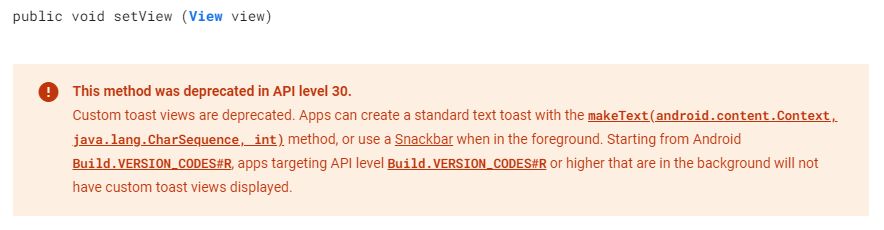
Custom Toast will not work on android 11 and above, it will only use msg and toastLength remaining all properties are ignored
Custom Toast For Android
Create a file named toast_custom.xml in your project app/res/layout folder and do custom styling
<?xml version="1.0" encoding="utf-8"?>
<FrameLayout xmlns:android="http://schemas.android.com/apk/res/android"
    xmlns:tools="http://schemas.android.com/tools"
    android:layout_width="wrap_content"
    android:layout_height="wrap_content"
    android:layout_gravity="center_horizontal"
    android:layout_marginStart="50dp"
    android:background="@drawable/corner"
    android:layout_marginEnd="50dp">

    <TextView
        android:id="@+id/text"
        android:layout_width="wrap_content"
        android:layout_height="wrap_content"
        android:background="#CC000000"
        android:paddingStart="16dp"
        android:paddingTop="10dp"
        android:paddingEnd="16dp"
        android:paddingBottom="10dp"
        android:textStyle="bold"
        android:textColor="#FFFFFF"
        tools:text="Toast should be short." />
</FrameLayout>
Toast with BuildContext (All Platforms)
Update your MaterialApp with builder like below for the use of Context globally check doc section Use NavigatorKey for Context(to access context globally)
MaterialApp(
    builder: FToastBuilder(),
    home: MyApp(),
    navigatorKey: navigatorKey,
),
FToast fToast;

@override
void initState() {
    super.initState();
    fToast = FToast();
    // if you want to use context from globally instead of content we need to pass navigatorKey.currentContext!
    fToast.init(context);
}

_showToast() {
    Widget toast = Container(
        padding: const EdgeInsets.symmetric(horizontal: 24.0, vertical: 12.0),
        decoration: BoxDecoration(
        borderRadius: BorderRadius.circular(25.0),
        color: Colors.greenAccent,
        ),
        child: Row(
        mainAxisSize: MainAxisSize.min,
        children: [
            Icon(Icons.check),
            SizedBox(
            width: 12.0,
            ),
            Text("This is a Custom Toast"),
        ],
        ),
    );


    fToast.showToast(
        child: toast,
        gravity: ToastGravity.BOTTOM,
        toastDuration: Duration(seconds: 2),
    );

    // Custom Toast Position
    fToast.showToast(
        child: toast,
        toastDuration: Duration(seconds: 2),
        positionedToastBuilder: (context, child) {
          return Positioned(
            child: child,
            top: 16.0,
            left: 16.0,
          );
        });
}
Now Call _showToast()
For more details check example project
| property | description | default |
|---|---|---|
| child | Widget (Not Null)(required) | required |
| toastDuration | Duration (optional) | |
| gravity | ToastGravity.* | |
| positionedToastBuilder | PositionedToastBuilder | |
| fadeDuration | Duration | Duration(milliseconds: 350) |
| ignorePointer | boolean | false |
| isDismissible | boolean | false |
Use NavigatorKey for Context(to access context globally)
To use NavigatorKey for Context first define the GlobalKey<NavigatorState> at top level in your main.dart file
GlobalKey<NavigatorState> navigatorKey = GlobalKey<NavigatorState>();
At the time of initializing the FToast we need to use context from globally defined GlobalKey<NavigatorState>
FToast fToast = FToast();
fToast.init(yourNavKey.currentContext!);
To cancel all the toasts call
// To remove present shwoing toast
fToast.removeCustomToast()

// To clear the queue
fToast.removeQueuedCustomToasts();
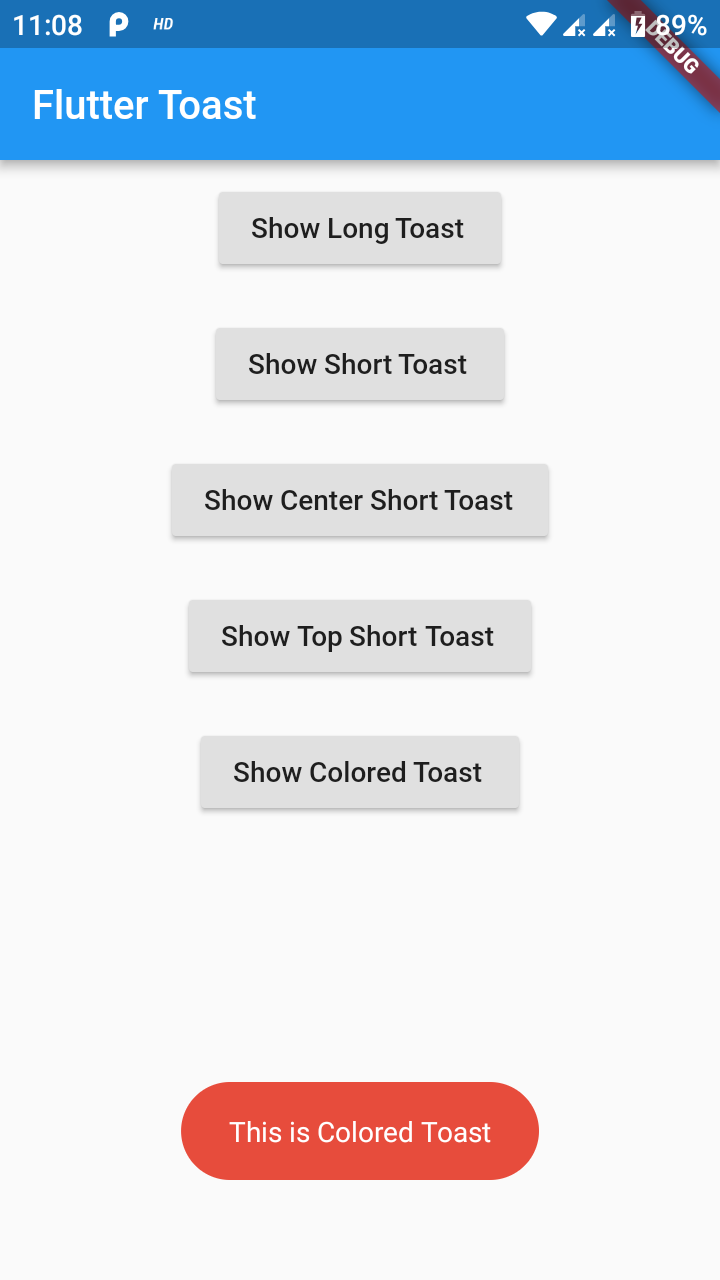
Preview Images (No BuildContext)
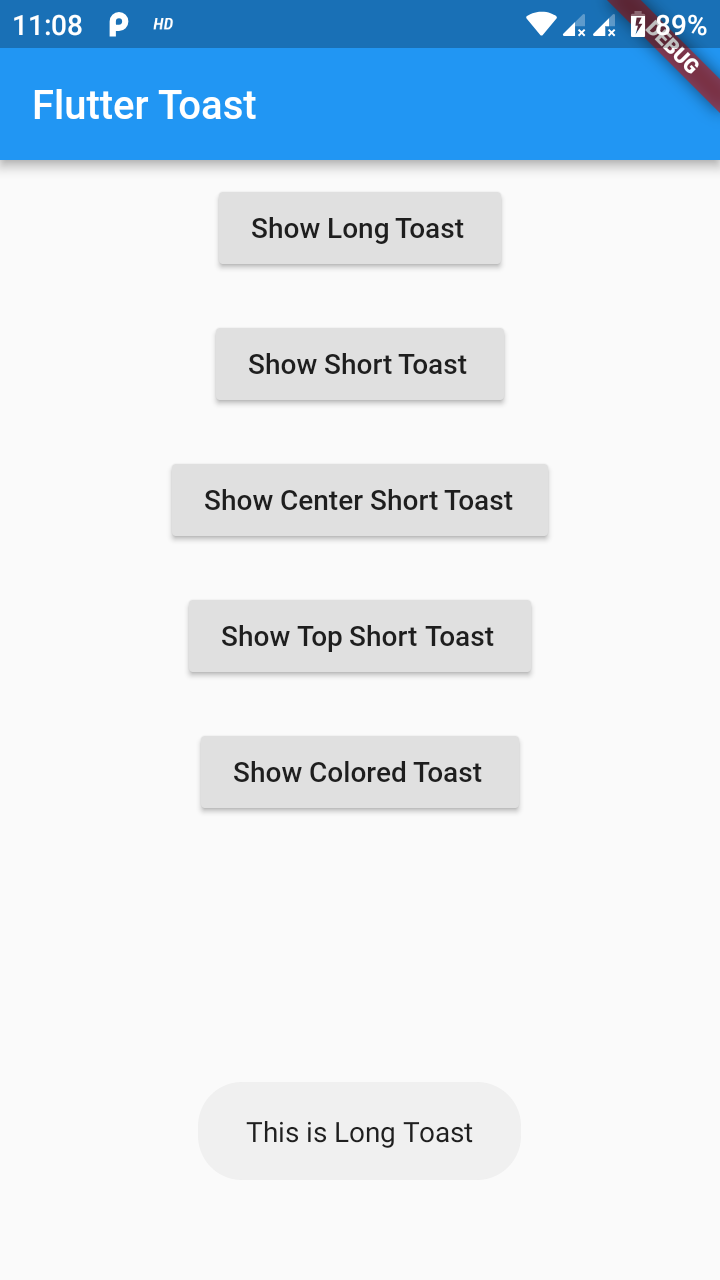
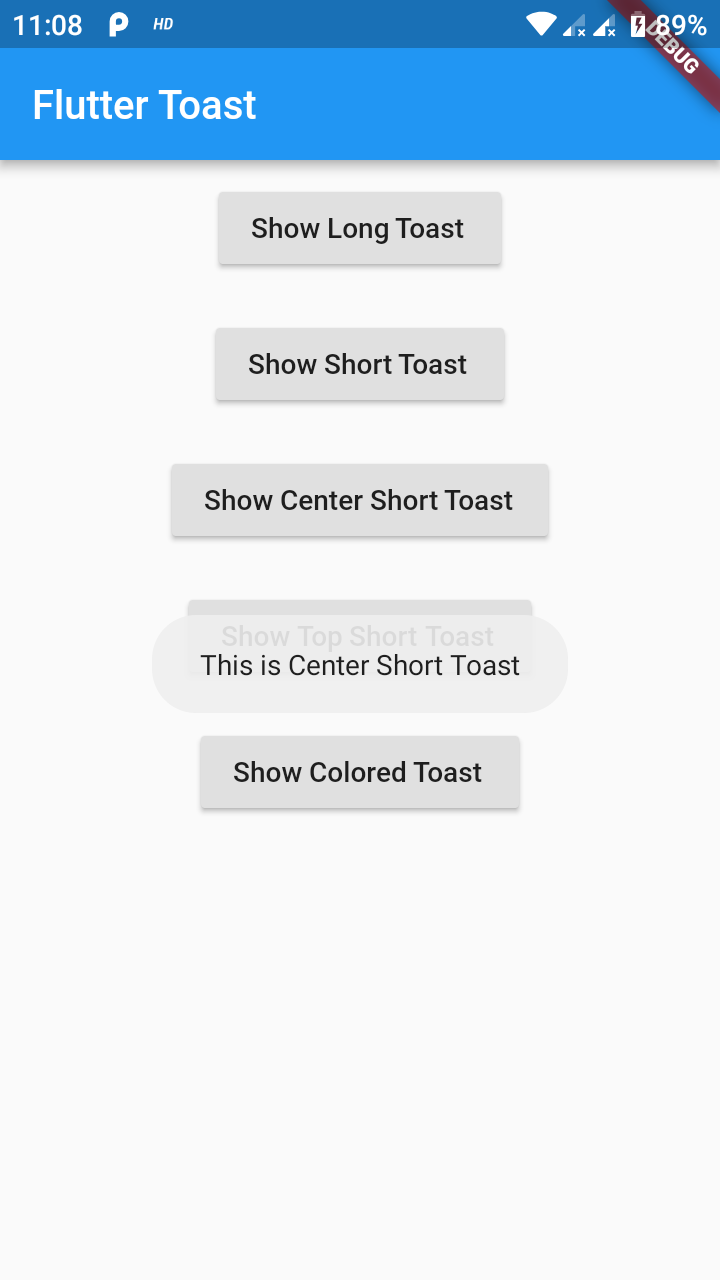
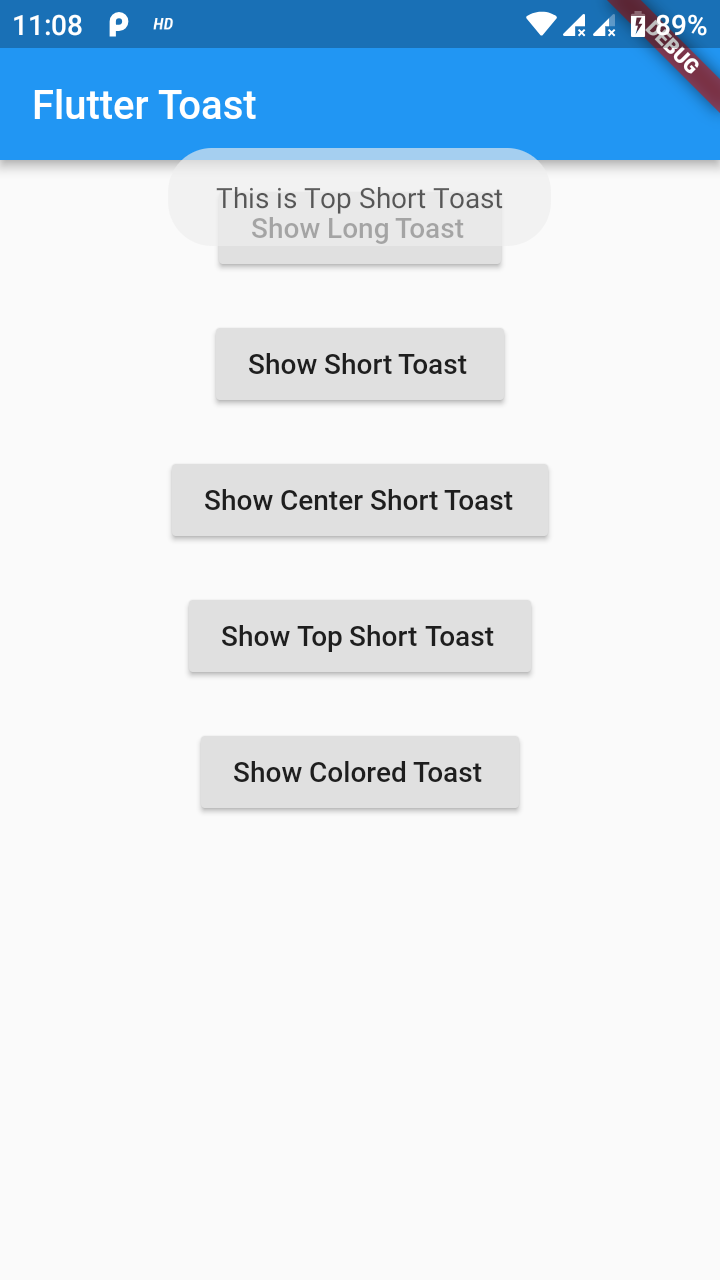
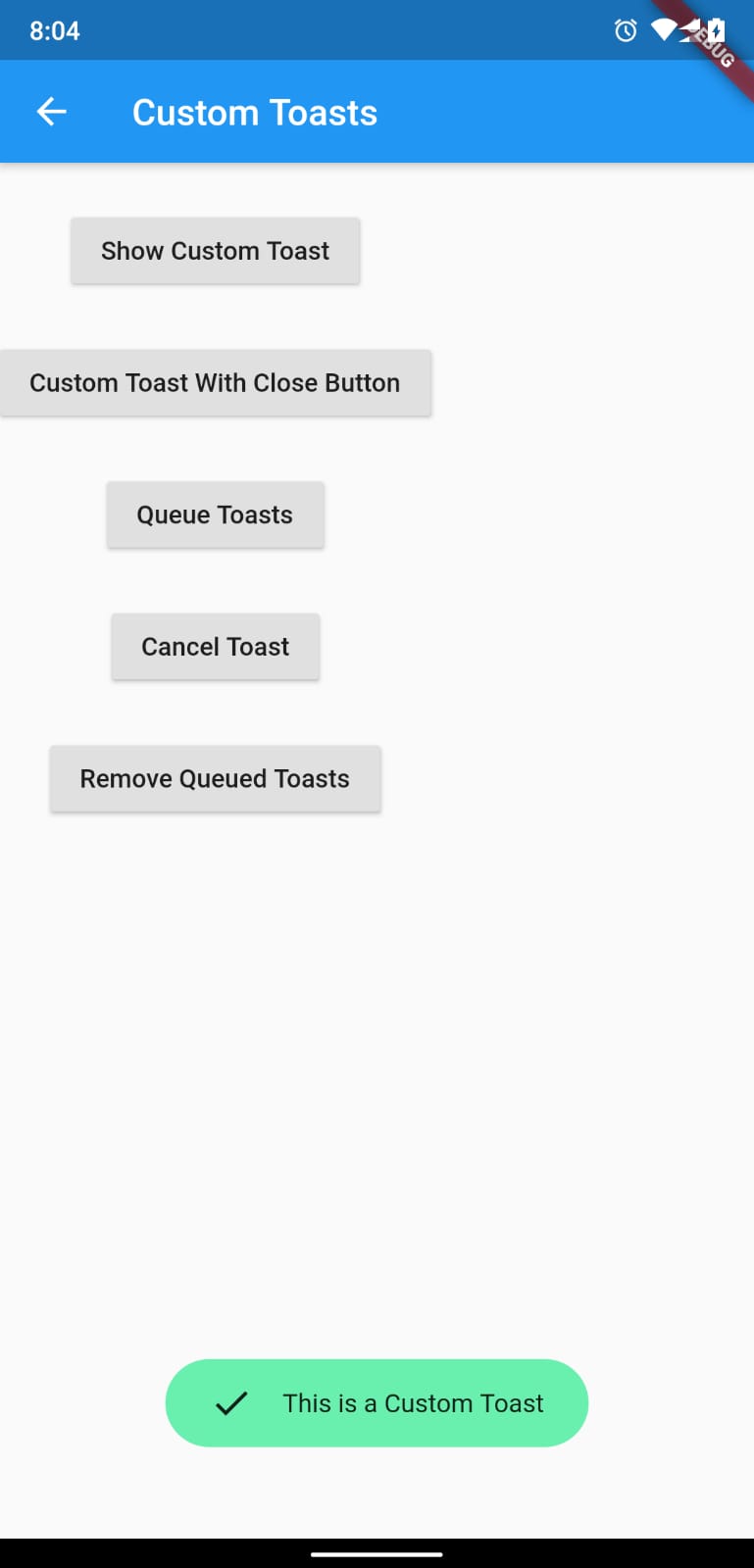
Preview Images (BuildContext)
If you need any features suggest
...
Buy Me a Coffee
